Avaya PBX Integration with Voice AI: Enterprise Implementation Guide
Trillet integrates with Avaya PBX systems via SIP trunking and CTI bridges, adding voice AI capabilities without replacing existing Avaya infrastructure.
Avaya PBX platforms -- Aura, IP Office, Communication Manager -- remain the backbone of enterprise telephony for thousands of organizations globally. These systems represent millions of dollars in infrastructure investment, years of configuration, and deeply embedded workflows that span departments. When enterprises evaluate voice AI, the first question from IT leadership is rarely about AI capability. It is about whether deploying AI means ripping out Avaya. With Trillet, the answer is no. Trillet's enterprise voice AI integrates directly with Avaya systems through SIP trunk connectivity and CTI bridge architecture, preserving your existing PBX investment while layering AI-driven call handling on top.
For Avaya-compatible voice AI deployment with zero infrastructure replacement, contact the Trillet Enterprise team to discuss your integration requirements.
Why Is Avaya Integration the Critical Barrier to Enterprise Voice AI?
Most voice AI vendors assume cloud-native telephony. Avaya environments require purpose-built integration paths.
The Avaya installed base is massive. According to industry estimates, Avaya PBX systems handle call routing for a significant share of Fortune 500 companies, with deployments spanning healthcare networks, financial institutions, government agencies, and large-scale contact centers. These environments share common characteristics that make voice AI adoption challenging:
Deep PBX customization: Call routing rules, hunt groups, auto-attendant trees, and failover configurations built over years
Proprietary protocols: Avaya's TSAPI, JTAPI, and DMCC interfaces alongside standard SIP
Compliance dependencies: Call recording, audit logging, and regulatory reporting tied to Avaya infrastructure
Multi-site architectures: Distributed Avaya deployments across regions with centralized management
Workforce management integration: Agent scheduling, queue monitoring, and performance dashboards connected to Avaya ACD
When a voice AI vendor says "we support SIP," that statement alone is insufficient for Avaya environments. SIP compatibility is necessary but not sufficient. Enterprise Avaya deployments involve CTI layers, complex transfer scenarios, conference bridging, and integration with Avaya's Session Manager and System Manager. Trillet's integration addresses the full stack, not just the SIP layer.
How Does the Avaya-Trillet Integration Architecture Work?
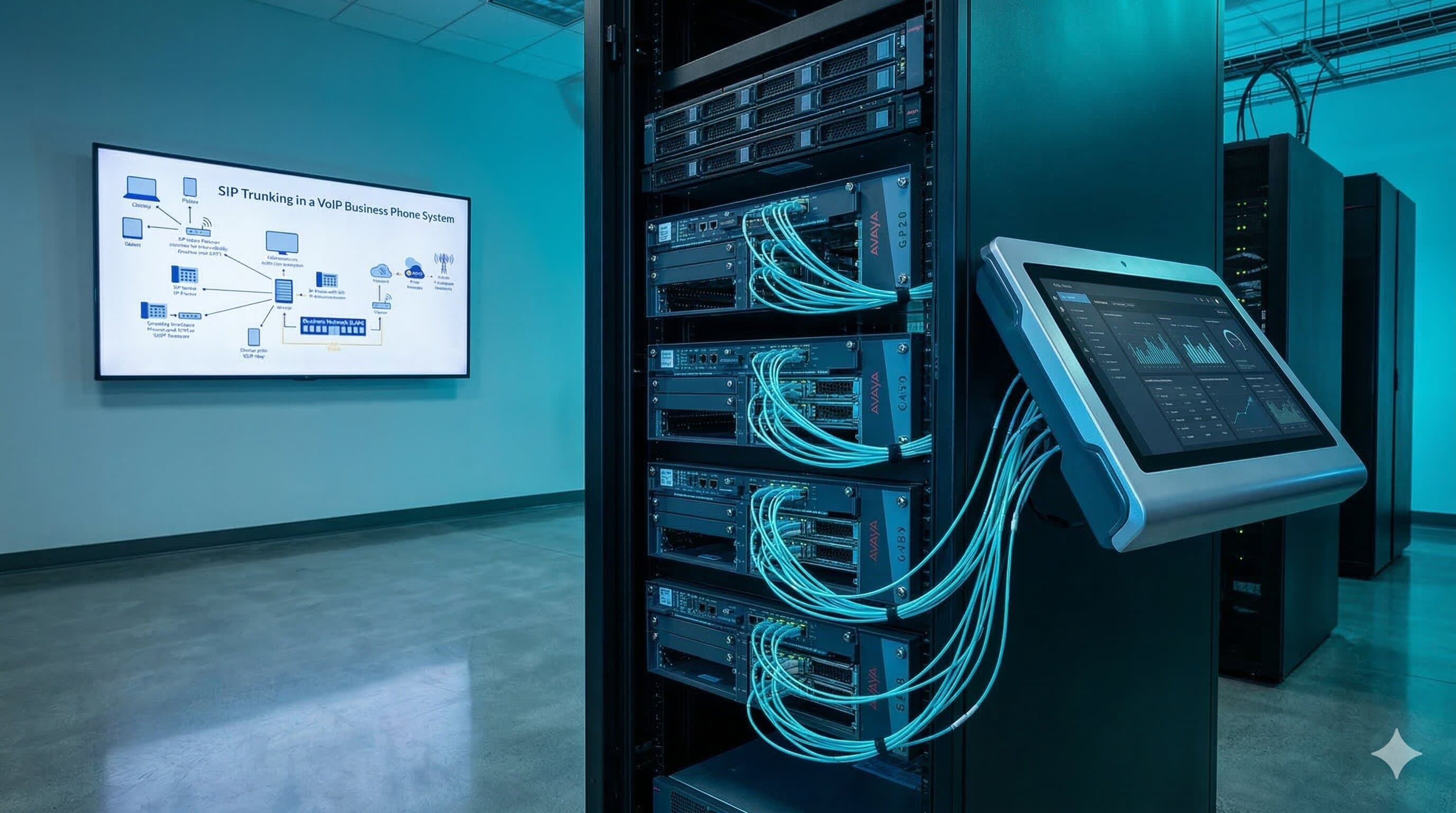
Trillet connects to Avaya PBX systems at the SIP trunk and CTI layers, operating as an extension of the existing telephony environment.
Architecture Overview
Component | Function | Where It Runs |
Avaya Session/Media Manager | Routes calls per existing dialplan | Existing Avaya infrastructure |
SIP trunk | Carries voice traffic between Avaya and Trillet | Network layer (TLS-encrypted) |
CTI bridge | Provides call control events and metadata | Integration layer |
Trillet voice AI engine | Processes conversations, executes actions | Trillet cloud or on-premise (Docker) |
API integration layer | Syncs call data, CRM records, dispositions | Secure connection |
Failover controller | Monitors AI availability, triggers Avaya fallback | Both systems |
Call Flow: Inbound Call with AI Handling
Caller dials the enterprise number. Avaya Session Manager receives the call per existing routing rules.
Based on configured routing (time-of-day, queue depth, skill group), Avaya forwards the call via SIP trunk to Trillet's voice AI engine.
Trillet's AI handles the conversation -- qualification, scheduling, information retrieval, or transaction processing.
If human escalation is needed, Trillet transfers the call back to Avaya with full context (caller intent, conversation summary, account data) delivered via CTI screen pop.
Avaya routes the transferred call to the appropriate agent queue using existing ACD logic.
Post-call, disposition data and conversation records sync back through the API integration layer.
Avaya Platform Compatibility
Avaya Platform | Integration Method | SIP Trunk Support | CTI Bridge Support |
Avaya Aura (Session Manager 7.x/8.x) | Native SIP trunk + TSAPI bridge | Full | Full |
Avaya IP Office (9.x/11.x) | SIP trunk + Web Services API | Full | Via third-party CTI |
Avaya Communication Manager (6.x/7.x/8.x) | SIP trunk via Session Manager | Full | Full (TSAPI/DMCC) |
Avaya Aura Contact Center (AACC) | SIP trunk + CCMS integration | Full | Full |
Legacy Avaya (Definity/MultiVantage) | Media gateway (AudioCodes/Sangoma) + SIP | Via gateway | Limited |
For legacy Avaya Definity and MultiVantage systems still running TDM, integration requires a media gateway to convert TDM signaling to SIP. Trillet's solution architects specify the appropriate gateway hardware and configuration as part of the implementation process.
What Are the Integration Modes for Avaya Environments?
Trillet supports multiple deployment patterns depending on how the enterprise wants AI to interact with existing Avaya call flows.
Mode 1: AI as Front-End IVR Replacement
Traditional Avaya IVR trees (DTMF-based "press 1 for sales") are replaced with natural language voice AI. Callers speak their intent, and Trillet routes them to the correct Avaya queue or resolves the inquiry without human involvement. Avaya's ACD statistics continue tracking all calls, including AI-handled volumes.
Mode 2: Queue Overflow and After-Hours
When Avaya queue wait times exceed configurable thresholds or during non-business hours, calls route to Trillet's voice AI. This eliminates abandoned calls without requiring additional staffing. When business hours resume or queue depth normalizes, routing reverts to human agents automatically.
Mode 3: AI-Assisted Agent Workflows
Trillet handles routine call segments -- identity verification, appointment confirmation, payment processing -- then transfers to human agents for complex interactions. The agent receives a CTI screen pop with the full AI conversation summary, eliminating the caller's need to repeat information.
Mode 4: Parallel Deployment
Specific call types route to AI (appointment scheduling, FAQ handling, after-hours coverage) while other call types continue routing exclusively to human agents. This enables gradual rollout with measurable outcomes before expanding AI coverage.
What Are the Common Avaya Integration Challenges?
Enterprise Avaya environments present specific technical challenges that generic voice AI platforms do not address.
Challenge 1: SIP Interoperability with Avaya Session Manager
Avaya's SIP implementation has vendor-specific extensions and header handling that differ from RFC standards. SIP REFER behavior, re-INVITE handling, and codec negotiation require Avaya-specific configuration.
Trillet solution: Pre-tested SIP profiles for Avaya Aura, IP Office, and Communication Manager. Trillet's solution architects have resolved these interoperability issues across production deployments, eliminating the trial-and-error process that internal teams typically face.
Challenge 2: CTI Data Continuity During Transfers
When a call transfers from AI to human agent (or vice versa), CTI data must follow the call. In Avaya environments, this requires coordinating between Trillet's call context and Avaya's TSAPI/DMCC event stream.
Trillet solution: The CTI bridge maintains a unified call record across AI and human segments. Agent screen pops include conversation summary, caller intent, and any data collected by the AI, delivered through Avaya's existing screen pop mechanism or a web-based companion display.
Challenge 3: Call Recording Compliance
Enterprises using Avaya's native recording or third-party recording platforms (NICE, Verint, Calabrio) need AI-handled calls captured in the same recording system for compliance and quality assurance.
Trillet solution: AI-handled call audio routes through Avaya's recording tap points, ensuring all calls -- AI and human -- appear in the same recording and quality management system. No separate recording infrastructure required.
Challenge 4: Disaster Recovery and Failover
If the voice AI system becomes unavailable, calls must not drop. Avaya's existing failover architecture must absorb AI traffic seamlessly.
Trillet solution: Active health monitoring between Trillet and Avaya. If AI availability drops below threshold, Avaya routing rules automatically redirect calls to human queues. When AI service restores, routing resumes. The switchover is transparent to callers. Trillet's 99.99% uptime SLA (financially guaranteed) minimizes these events, but the failover architecture ensures zero call loss regardless.
Challenge Summary
Challenge | Risk Without Proper Integration | Trillet Approach |
SIP interoperability | Call setup failures, audio issues | Pre-tested Avaya SIP profiles |
CTI data continuity | Agents lack context on transferred calls | Unified call record across AI/human |
Recording compliance | AI calls missing from compliance audits | Recording through Avaya tap points |
Failover handling | Dropped calls during AI outage | Automatic Avaya fallback routing |
Codec mismatch | Degraded audio quality | Automatic codec negotiation (G.711, G.729, Opus) |
Multi-site routing | Inconsistent AI availability across locations | Centralized AI with per-site SIP trunks |
What Does the Implementation Timeline Look Like?
A typical Avaya-to-Trillet integration follows a structured deployment process managed entirely by Trillet's solution architects and engineering team.
Phase | Duration | Activities |
Discovery and audit | 1-2 weeks | Avaya platform version assessment, network topology review, SIP trunk capacity planning, use case prioritization, compliance requirement mapping |
Architecture design | 1 week | Integration architecture documentation, SIP trunk configuration spec, CTI bridge design, failover logic, recording integration plan |
Configuration and build | 2-3 weeks | SIP trunk provisioning, CTI bridge deployment, voice AI agent configuration, CRM integration, test environment setup |
Testing and pilot | 1-2 weeks | End-to-end call flow testing, failover validation, recording compliance verification, pilot with limited call volume |
Production rollout | 1 week | Gradual traffic migration, monitoring dashboard setup, supervisor training, go-live support |
Total timeline: 6-8 weeks for a standard enterprise deployment. Complex multi-site or multi-platform environments may require additional time for per-site configuration and testing.
The entire implementation is managed by Trillet -- zero internal engineering lift required. Your IT team participates in discovery and provides infrastructure access, but Trillet handles architecture design, build, testing, and deployment.
How Does On-Premise Deployment Work with Avaya?
For enterprises with strict data residency or security requirements, Trillet offers on-premise deployment via Docker -- the only voice AI platform with this capability.
In an on-premise configuration, Trillet's voice AI engine runs within the enterprise's own data center or private cloud, alongside the existing Avaya infrastructure. Voice data never leaves the enterprise network.
On-premise architecture benefits for Avaya environments:
Reduced latency: AI processing occurs on the same network as Avaya, eliminating WAN latency for SIP traffic
Data sovereignty: All call audio, transcripts, and customer data remain within enterprise-controlled infrastructure
Simplified security: No external SIP trunk required; Trillet connects to Avaya via internal network
Compliance alignment: Satisfies data residency requirements for APRA CPS 234, IRAP, HIPAA, and jurisdiction-specific regulations
On-premise deployment does not change the managed service model. Trillet continues managing the voice AI platform remotely, handling updates, monitoring, and incident response through secure management channels.
Comparison: Avaya Voice AI Integration Approaches
Capability | Trillet Enterprise | Generic Cloud Voice AI | Internal Development |
Avaya SIP trunk integration | Pre-tested profiles | Basic SIP (manual tuning) | Custom development |
CTI bridge (TSAPI/DMCC) | Native support | Not supported | 3-6 months development |
Call recording continuity | Through Avaya tap points | Separate system | Custom integration |
On-premise option | Docker deployment | Cloud-only | Depends on platform |
Failover to Avaya | Automatic | Manual reconfiguration | Custom development |
Multi-site support | Centralized with per-site config | Per-site deployment | Per-site development |
Implementation | Fully managed (6-8 weeks) | Self-serve | 6-18 months internal |
Ongoing maintenance | 24/7 managed service | Self-service | Internal team |
The internal development path deserves particular scrutiny. Enterprises that attempt to build Avaya-to-AI integration internally typically underestimate the complexity of SIP interoperability, CTI event handling, and failover architecture. What begins as a "simple SIP trunk project" expands into a multi-quarter initiative requiring telephony engineers, AI platform expertise, and ongoing maintenance commitment. The total cost of internal development typically exceeds managed service pricing within the first year.
Frequently Asked Questions
Does this integration require changes to our Avaya configuration?
Minimal changes. The primary requirement is provisioning a SIP trunk on Avaya Session Manager (or IP Office) pointing to Trillet's voice AI endpoint, and configuring routing rules to direct specific call types to that trunk. Existing call flows, hunt groups, and ACD configurations remain unchanged. Trillet's solution architects provide exact configuration steps for your Avaya platform version.
What Avaya versions are supported?
Trillet supports Avaya Aura (Session Manager 7.x and 8.x), Avaya IP Office (9.x and 11.x), and Avaya Communication Manager (6.x through 8.x). Legacy Avaya Definity and MultiVantage systems are supported via media gateway integration. If you are running an older or customized Avaya deployment, contact the Trillet Enterprise team for a compatibility assessment.
What happens to calls if the AI system goes down?
Automatic failover routes calls to Avaya queues for human agent handling. The failover is configured at the Avaya routing level, so switchover is immediate and transparent to callers. Trillet's financially guaranteed 99.99% uptime SLA means these events are rare, but the architecture ensures zero call loss regardless.
Can the AI access our CRM and business systems during calls?
Yes. Trillet integrates with CRM platforms (Salesforce, HubSpot, Zoho, and custom systems), scheduling tools, and enterprise databases. During a call, the AI retrieves customer context, updates records, books appointments, and triggers workflows in real time. All integrations are built and maintained by Trillet as part of the managed service.
How do we get started with Avaya voice AI integration?
Contact the Trillet Enterprise team to schedule a discovery session. Trillet's solution architects will assess your Avaya environment, identify high-value use cases, and provide an implementation plan with timeline and architecture recommendations.
Conclusion
Avaya PBX infrastructure and voice AI are not mutually exclusive. Trillet's integration architecture -- SIP trunking, CTI bridges, and optional on-premise deployment -- allows enterprises to add AI-driven call handling to existing Avaya environments without infrastructure replacement, workflow disruption, or internal engineering burden.
For enterprises evaluating voice AI alongside Avaya Aura, IP Office, or Communication Manager, the integration approach determines whether deployment takes weeks or quarters. A managed service with pre-tested Avaya integration profiles eliminates the technical risk that stalls internal projects.
Contact the Trillet Enterprise team to discuss Avaya voice AI integration for your environment.
Related Resources:
Enterprise Voice AI Orchestration Guide - Complete guide for large organization deployments
Voice AI Legacy System Integration Approaches - Integration patterns for enterprise telephony
ViciDial Integration for Enterprise Call Centers - Production-proven call center integration
On-Premise Voice AI Deployment via Docker - Self-hosted deployment options
Managed vs Self-Serve Voice AI Platforms Comparison - Build vs. buy analysis for enterprises